Magazine · Starry Night · photography
Stars on a Phone: It Can Be Done, Just Not Handheld
You pull out your phone, point it at the sky, click. On the screen: a black rectangle and three grey dots. Neither the sky nor the phone is to blame. You held it in your hand and let it do what it does in daylight.
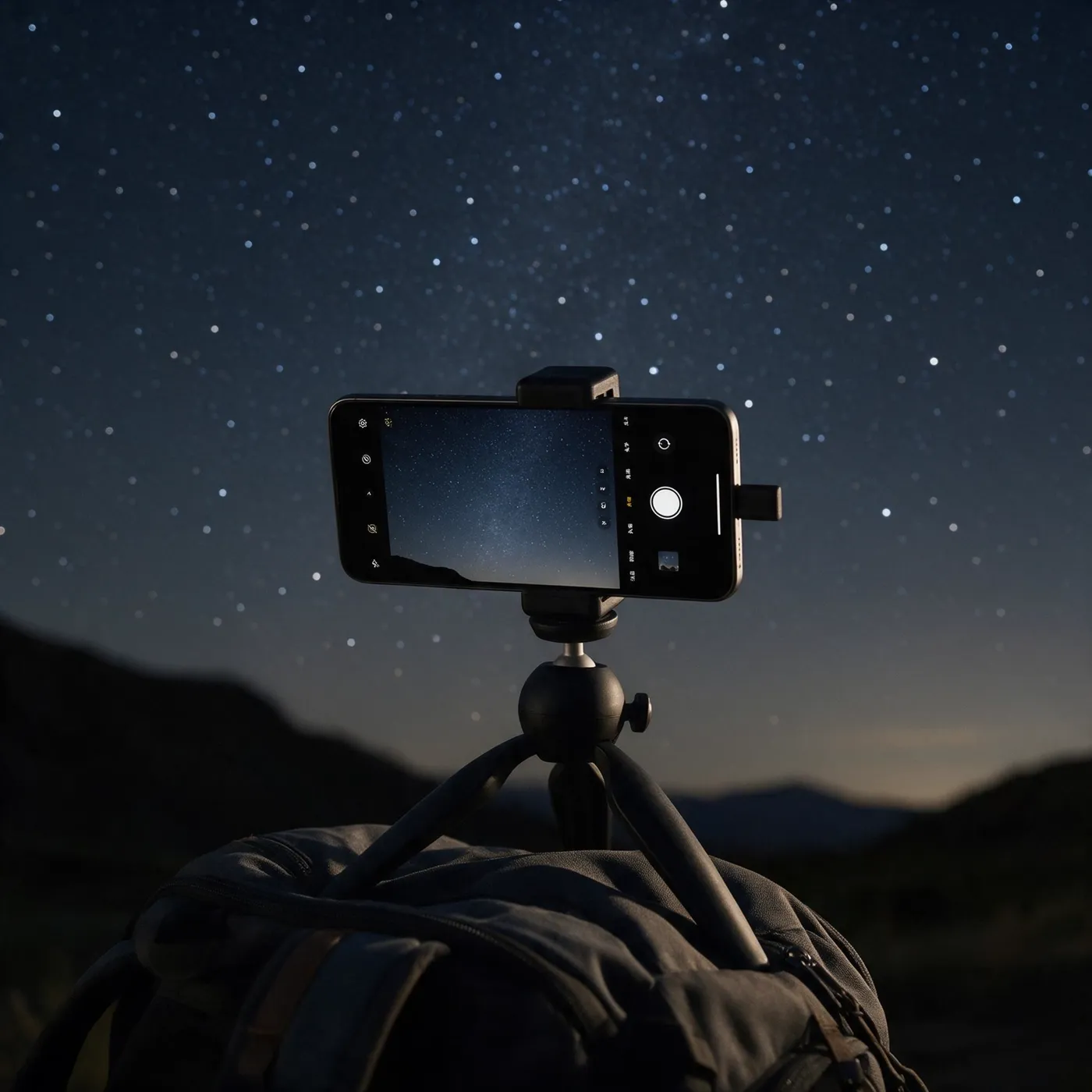
Stars are faint, and a camera needs time to collect their light. The whole trick is to give it that time: solid support, a few seconds of exposure and some trial and error.
Support first, everything else second
For a night shot the phone gathers light for whole seconds, and every tremor in that time ends up in the picture. A small tripod with a phone clamp is ideal. If you have none, a rock, a low wall or a rucksack to lean the phone against will do. NASA tells beginners the same: an improvised stand works in a pinch.
The other half of support is the self-timer. Even a tap on the shutter button moves the phone, so set a delay of a few seconds. Google suggests three for its night mode.
Night mode: let the phone do the work
The easiest route is night mode. On an iPhone it is called Night mode and switches itself on in low light. The number beside the icon shows how many seconds the shot will take, and a slider lets you stretch it to the maximum. Apple advises putting the phone on a solid surface or a tripod while it works.
Pixel phones have Night Sight. When the phone is still and pointed at the sky, the shutter switches to astrophotography and a countdown runs on the screen. Samsung has an astrophotography mode in its Expert RAW app. The names differ, the principle is the same: the phone collects light for longer.
Google adds a tip that holds for any phone: shoot stars no sooner than 45 to 90 minutes after sunset. Before that it is not yet dark, as you know from the chapter on twilight.
Manual mode: time, ISO, focus
Want the settings in your own hands? Look for a Pro or manual mode in the camera, or install an app that adds one. There are three things to set.
Exposure time: start at a few seconds, take a test shot and adjust. ISO is sensitivity. A higher value brightens the image but adds noise. BBC Sky at Night Magazine advises a high ISO with exposures of a second or more, and lowering it when the result looks grainy.
Focus: autofocus gropes in the dark. Switch to manual and set infinity. Or tap a bright star or a distant street lamp and lock the focus. Pixel has a dedicated far-focus option that focuses on anything more than four metres away.
Why dots turn into dashes
The Earth turns, so the sky above you shifts by roughly 15 degrees an hour. In a short exposure you will not notice. In a long one the stars stretch into little dashes.
Photographers have a rule of thumb, the 500 rule: divide 500 by the focal length of the lens in millimetres and you get the longest exposure in seconds. A 20 mm lens gives 25 seconds. Treat it as an estimate, not a law. Sky & Telescope points out that the rule ignores pixel size, and that newer sensors with smaller pixels behave more like a rule of 300. It was made for conventional cameras, so with a phone expect a shorter time.
The practical method is simpler than the maths. Shoot, zoom in on the middle of the frame and look. Dots? You can go longer. Dashes? Back off.
RAW, and what is realistic
If your phone can save RAW, switch it on. A raw file keeps more of the sensor data, so you have more freedom with exposure, colour and white balance when editing. Apple calls its format ProRAW and stores it as a standard DNG file.
What can you expect? Start with bright, easily recognised constellations: Orion in winter, Leo in spring, Cygnus in summer. For the Milky Way you need a place far from city lights and a night around new moon. Do not expect Hubble-level images, as NASA puts it.
The Moon, oddly, is harder. In the frame it is surprisingly small, and automatic exposure likes to turn it into a bright white blob. Manual mode helps: lower the ISO or shorten the exposure until the disc is no longer blown out. Digital zoom adds no new detail.
Dew, cold and battery
Dew forms on a lens when the glass cools a few degrees below the dew point. So check the lens now and then. Astrophotographers strap hand warmers to their lenses. A phone can simply go into your pocket between sets.
Batteries dislike the cold as well. Apple states that its phones are designed for temperatures between 0 and 35 °C. In frost, battery life temporarily shortens and the phone may even switch off. A power bank in an inside jacket pocket is therefore not excessive caution.
Your first shots will be noisy and crooked. That is fine. NASA’s advice is to take plenty with different settings before you buy anything. One evening the Big Dipper will appear on your screen exactly as you saw it. That is a photo you cannot buy anywhere.